









NAB Show 2026: QNAP Releases HDP Recovery Media Creator: Building Windows DR Media in USB and ISO Formats
Integrated with QNAP NAS for one-stop Windows disaster recovery – at no extra license cost
This is a Press Release edited by StorageNewsletter.com on April 20, 2026 at 2:01 pmQNAP Systems, Inc. released HDP Recovery Media Creator, a disaster recovery (DR) solution for Windows PCs and servers. Formerly a built-in feature of HDP PC Agent, the recovery media creation function is now officially an independent, dedicated tool featuring new ISO image file support. This standalone design allows administrators to create recovery media without pre-installing the agent, significantly expanding IT deployment scenarios.
“The true worth of any backup is proven only at the moment of restoration,” said Jack Wang, product manager, QNAP. “HDP Recovery Media Creator is exactly that ‘master key’—allowing users to access backup data stored on a QNAP NAS and complete recovery even when their system fails to boot. A major highlight of this update is the new ISO support: users can now import ISO files into QNAP Virtualization Station to boot as virtual machines and verify the integrity of their backup data. This effectively completes the last mile of the 3-2-1-1-0 backup strategy towards ‘zero-error’ recovery.”
This software works in conjunction with HDP PC Agent and a QNAP NAS to provide a backup and DR solution for Windows systems. Once created, the recovery media can be used permanently to restore the system state during a crash.
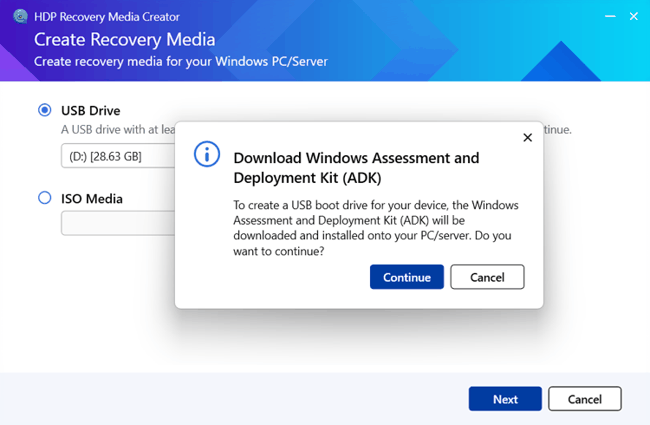
HDP Recovery Media Creator key features :
- Free to use: The software is free to download and use for QNAP NAS users, with no limit on the number of restorations
- Newly supports ISO formats: In addition to traditional USB flash drives, users can now create ISO image files. This is crucial for virtualized environments or remote servers equipped with BMC/IPMI, allowing administrators to directly mount the ISO for recovery without visiting the server room
- Standalone tool, ready to use: It can be executed without installing the HDP PC Agent on the target computer, providing greater deployment flexibility
- 5-10 minutes for fast creation: By simply specifying the target USB or ISO, the system automatically handles the Windows ADK download and Windows PE environment packaging, completing the recovery media creation in just a few minutes
- Ready to recover: The tool includes a built-in Recovery Wizard, allowing users to start the recovery process simply by booting from the created media
- NAS integration: During restoration, the system automatically connects to the QNAP NAS to extract and access backup data directly from HDP for PC/VM
- Flexible restore options: Supports full system restoration or system drive-only restoration for PCs and servers
Resource:
Tutorial : How to Restore Your Windows PC with HDP Recovery Media Creator








 Subscribe to our free daily newsletter