





EditShare Flow 2019 Extension 2 Software-Defined Media Asset Management
Expands support for enterprise installations data migration and remote editing capabilities fuel large-scale media workflows.
This is a Press Release edited by StorageNewsletter.com on March 1, 2019 at 2:14 pmEditShare LLC announced Flow 2019 Extension 2.
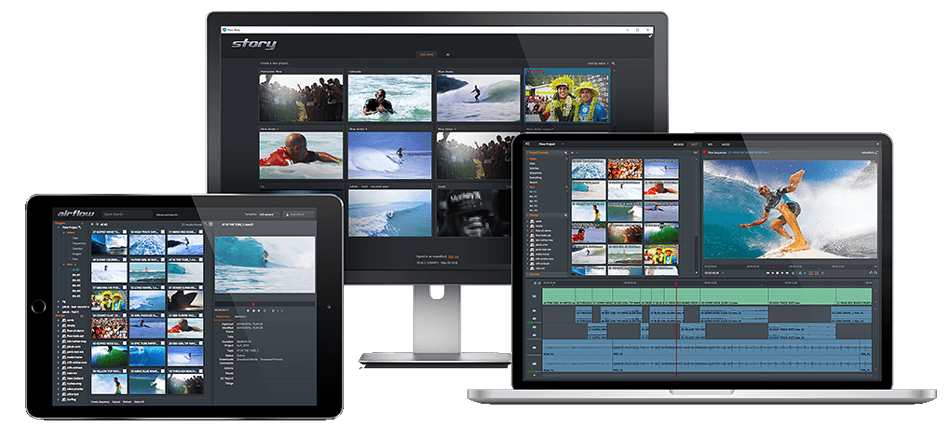
The software-defined media asset management (MAM) solution simplifies media sharing and collaboration with embedded production tools to track, search, retrieve, and edit media across on-premise and cloud-based storage solutions.
With support for storage solutions from Avid, AWS, generic S3, Microsoft and StorageDNA, Flow 2019 connects users to millions of assets across diverse storage pools providing automation capabilities to facilitate complex and redundant tasks.
“Flow 2019 Extension 2 brings the capabilities and scalability required by today’s fast-growing and fast-moving production facilities,” states Matt Sandford, product manager, Flow, EditShare. “From floating licenses to offloading production tasks across multiple worker nodes to support for more third-party storage solutions, EditShare customers have more control and choices for optimizing their media operation and growing their business.“

Feature highlights of Flow 2019 extension 2 include:
-
Networked licensing with EditShare Licensing System (ELS)
Through the company’s ELS licensing system, managers eliminate the need to keep track of individual Flow licenses. Users can freely move to the next available station and utilise a Flow license. Each license offers the latest updates and capabilities, making it easy to deploy Flow 2019 Extension 2 across large workgroups that have a continuous ebb and flow with regards to resources. -
Offload production tasks across multiple worker nodes
Straight forward admin controls allow users to assign tasks such as media ingest and proxy creation to specific worker nodes simultaneously, offloading jobs across multiple worker node servers to accelerate the overall production workflow. Sandford elaborates, “With the ability to multi-assign ingest ports, facilities can improve the capture to edit process, speeding up the workflow tremendously.“ -
Time saving sequence creation in Flow Story
Flow 2019 Extension 2 lets users create a sequence based on Flow Story Ranged Marker metadata. Useful in fast turnaround scenarios, sequences can be generated, published and shared with only a couple of clicks. Fast and easy, users search the Flow Story Marker panel for the metadata they want to be included in the sequence and right click to make a sequence. -
Added support for data migration between systems
This allows users to move their existing data from an older server to a newer one or a replacement one (should the need arise). Sandford explains: “Imagine a scenario where users have set up Flow but have outgrown the hardware limitations, you don’t want to have to start over when moving to a more powerful system. This feature allows users to migrate all their data over quickly and easily. It’s all about being able to easily adapt and grow.“
Flow is available in three packages: Basic, Advanced and Enterprise. Volume pricing is also available. Users can test-drive Flow by downloading a free 14-day trial.








 Subscribe to our free daily newsletter