








Kanguru: Integrated Remote Management for Defender Hardware Encrypted USB Drives
Using KRMC-Enterprise 8
This is a Press Release edited by StorageNewsletter.com on March 8, 2018 at 2:23 pmKanguru Solutions‘s integrated Remote Management for Defender hardware encrypted USB drives just got better with the release of KRMC-Enterprise 8.
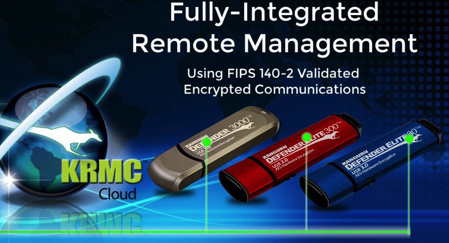
KRMC is a remote management system for administrators of security-conscious organizations to manage the whereabouts of their hardware encrypted, secure drives anywhere in the world. It enables security administrators to configure, supervise, and update security policies using FIPS 140-2 validated encrypted communications for secure drives from one convenient console. The upgrade of KRMC-Enterprise 8 brings company’s remote management console to a new level.
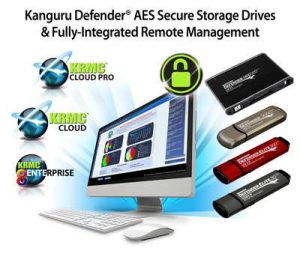
KRMC-Enterprise is one of three convenient options for remote management that the company offers organizations to protect data from hackers, cyber-attacks and data breach:
-
KRMC-Cloud: Remote management through the cloud for a single administrator using Kanguru’s world-class secure platform
-
KRMC-Cloud PRO: Remote management through the cloud for multiple (unlimited) administrators
-
KRMC-Enterprise: A self-hosted option for enterprise organizations using their own secure server
“Our Kanguru Remote Management Suite is the perfect solution for organizations seeking to secure data on the move around the world“, states Don Brown, president and CEO, Kanguru. “There’s simply no better way to secure data than with locally-stored encrypted storage, and using remote management to supervise them.”
With the release of KRMC Enterprise 8, organizations can take advantage of military-grade enhanced features as a fully-functional, Ready-to-Deploy Virtual Appliance, with an improved user interface for navigation. The company, a security vendor since 1992, uses expert knowledge of FIPS 140-2 validation and Common Criteria to build strong remote management integration for hardware encrypted USB devices.
KRMC and upgrade of KRMC-Enterprise 8 offers following benefits:
-
Track and manage secure USB drives worldwide
-
Delete/disable lost or stolen drives
-
Send password updates
-
Supervise security and manage password policies
-
Grant or deny online/offline permissions
-
Audit and generate reports
-
Manage password strength and length
-
Monitor anti-virus licenses
-
Park unused drives
-
Roll out security policy updates
-
Assign multi-level administrators
-
Setup granular security policies by group
With following security features:
-
Two-factor authentication
-
Self-service password management
-
Easy-to-use license calculator
-
Device license parking tokens
-
Flexible one-, two-, or three-year subscriptions
-
Enhanced UI for navigation
-
FIPS 140-2 validated encrypted communications
-
AV update even for offline servers







 Subscribe to our free daily newsletter