








O&O Defrag 17 to Speed PC (Server Edition at $199)
More performance and security for Windows XP through to Windows 8.1
This is a Press Release edited by StorageNewsletter.com on October 1, 2013 at 2:56 pmBerlin, Germany-based O&O Software GmbH, in data security and data recovery, releases the new version Defrag 17.
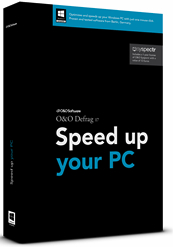
For more than 15 years, Defrag has been the program that optimizes computers long-term.
Defrag accelerates access to HDDs, thus prolonging their lifespan and actively preventing system failures. The new version is optimized for Windows 8.1 and also explicitly for use under Windows XP, Windows Vista and Windows 7 to meet the needs of the still large number of users with these older OSs.
It is particularly with older systems where improvements in performance can be achieved using Defrag, which often postpones the need to acquire a new PC for a long period of time. This saves money and substantial resources.
The core of Defrag 17 has been revamped and offers an optimization for all processor platforms – including the use of multi-core functionality – for the best possible PC speed combined with the lowest consumption of PC power.
Defrag 17 now for VMs and SANs
Users of VMs and SANs know the phenomenon: The amount of data remains the same, but the memory for the virtual container increases. Defrag 17 combats that – the container size decreases due to the optimization and thus corresponds to the actual memory usage. In addition, the stored data from VMs and SANs are then defragmented.
The Defrag 17 can also for securely overwrite free space so that the available data there – which is presumably deleted – is definitely no longer recoverable. It not only increases the productivity of systems but also protects sensitive data from prying eyes – all from within one program. What is particularly convenient for users is the ability to carry out selected actions after a defragmentation, for example deleting free space and then optimizing SANs and VMs.
New and enhanced functions
- Shorter defragmentation times: With Defrag 17, several drives can be defragmented simultaneously. In addition, the algorithms have been substantially accelerated, reducing the time required for a defragmentation by up to 40%.
- Automatic defragmentation: It is enabled by default after the installation of Defrag and optimizes the disks in the background without slowing down the performance of the computer. Special procedures are initiated here to monitor the disk activity and ensure optimal use of system resources.
- Optimizing VMs and SANs: It optimizes the actual memory allocation for VMs and SANs.
- Manufacturer-independent optimization for SSDs: Defrag makes it possible to optimize SSD drives through TRIM commands regardless of their manufacturer even under Windows XP and Vista. Access times for SSDs are speed up, and early wear and tear effects are prevented.
- Data security: It deletes the unused disk space upon request. This prevents confidential content of unsafely deleted temporary files being accessed by others.
- User Interface: The completely revamped user interface of Defrag means all the basic functions are one single click away and can be started manually, through saved Jobs or automatically.
- Remote control over a network: All users in the same network are able to control Defrag remotely. Drives of computers can be optimized and analyzed, when, for example, executing jobs. It’s also possible to generate and view reports for other computers from the network.
- Evaluation and Analysis: Whenever the program is started, a manual analysis of all drives can be made and the level of fragmentation for each drive is displayed. It is also possible to display the most heavily fragmented files as well as the physical location of fragmented files on the HDD. A dynamic block view appears during defragmentation and with the help of a before and after view, the user can get a picture of the system’s optimization.
- History: Defrag has graphics that display which defrag action has led to which optimization success.
- Automatic update: Defrag automatically checks if newer program versions are available and so can guarantee that defragmentation is always done using the latest technology.
- Power Management for Netbooks and Notebooks: As soon as mobile systems such as notebooks or netbooks are no longer connected to external power sources, the defragmentation is interrupted so that the full battery power is available for mobile workers.
- Defragmentation methods Stealth, Space and Complete: Stealth and Space are optimized for the fastest possible defragmentation, while the Complete methods allow for a more complete defragmentation. This requires more time and memory. The optimal utilization of existing storage space also prevents any new fragmentation. All methods can be applied to any drive, including Volume and Stripe Sets, and of course guarantee maximum reliability.
- Zone filing on drives: A logical separation of data into performance-critical and non-critical files is conducted through an alternative setting which divides drives into so-called Zones. Files are sorted based on their use and access frequency and moved into appropriate zones. For example, system and program files that need to be accessed very quickly are separated from other data such as documents and downloads. Fragmentation is prevented intelligently through the separation of files written rarely or frequently. This logical arrangement not only shortens the duration of the system or program start, but also prevents fragmentation of program files from ever occurring.
Defrag 17 costs $29.95 for a single computer license, and $49.95 for a 3-PC license. The Server Edition for use on company servers will be released soon and will cost $199. All prices include VAT where applicable.
To download a free 30-day trial of Defrag 17 Professional Edition







 Subscribe to our free daily newsletter